HitchBox
Escape to the wilderness without leaving your favorite movies behind. The ultimate portable cinema for your car. Plug it in, project, and immerse yourself.
Project type
A discovery project with two goals:
- Understand the emerging unmet customer needs of Ford Explorer and propose the direction of future products and services
- Figure out Ford’s accessory strategy to capture some of the digital market
My role
Concept design, User research, Hardware UX, interaction design, tech assessment, physical design
Outcome
- Designed multiple concept directions that informed the accessories strategy
- Secured buy-in from cross-functional partners with a clear vision and roadmap
- Filed intellectual property for innovative concepts
- Several concepts were adopted by the accessories team for further development, progressing toward market
Context
Ford was strong on the highway but falling behind in the digital spaces
Ford wanted to rethink its role beyond the vehicle. While the brand excelled in designing physical products, it lacked presence in the digital ecosystem: online platforms, communities and connected services.
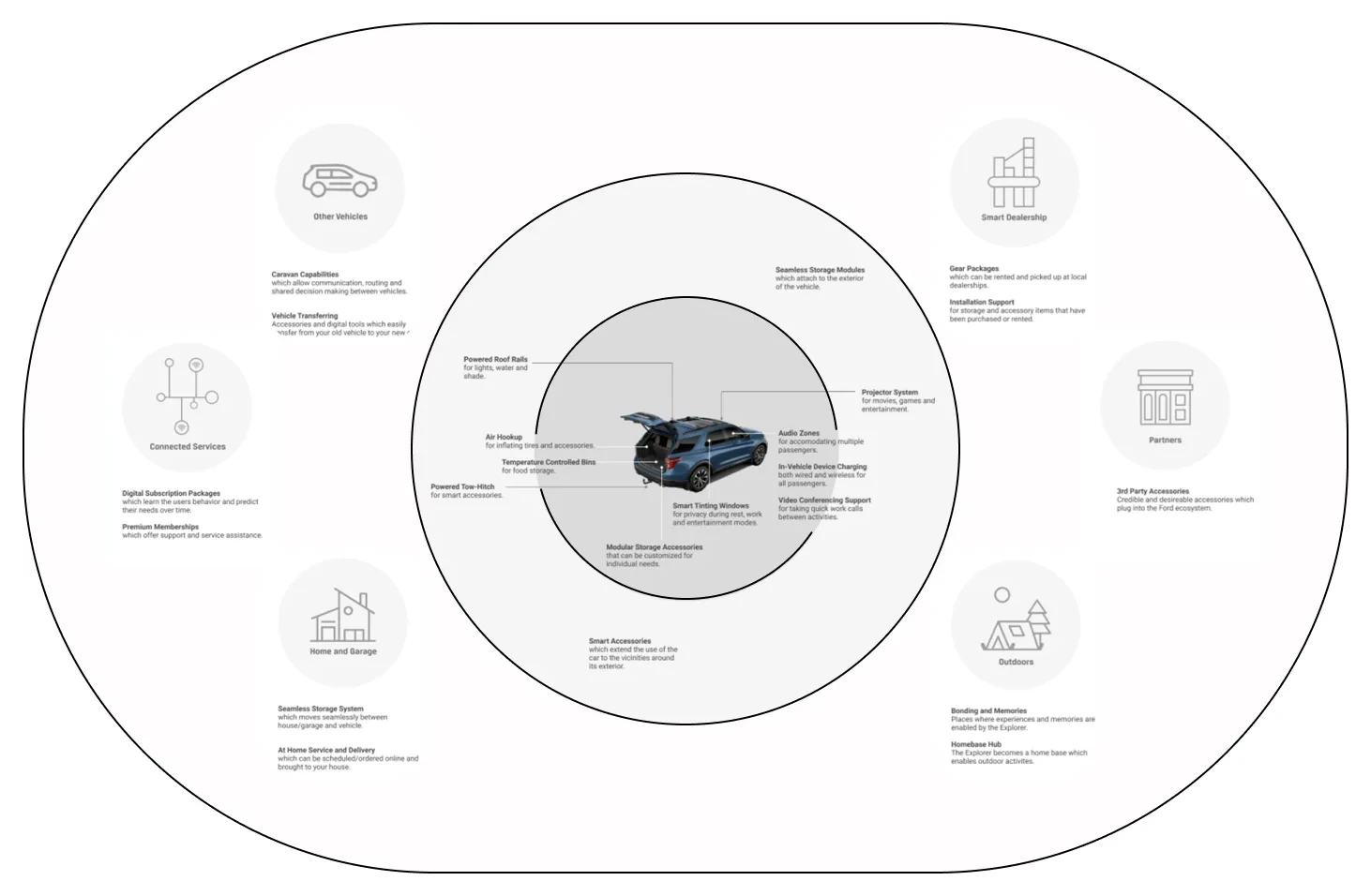
Our task? To bridge that gap by designing products and experiences that seamlessly connect vehicle interiors, exteriors and life beyond the car.

Early exploration
Exploring how the vehicle might activate social experiences physically and digitally
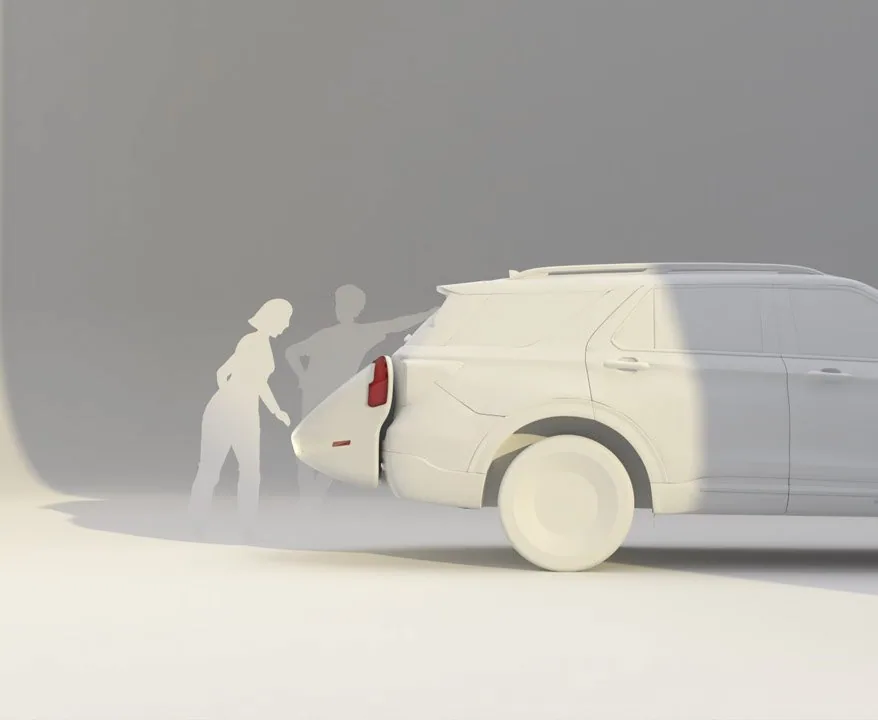
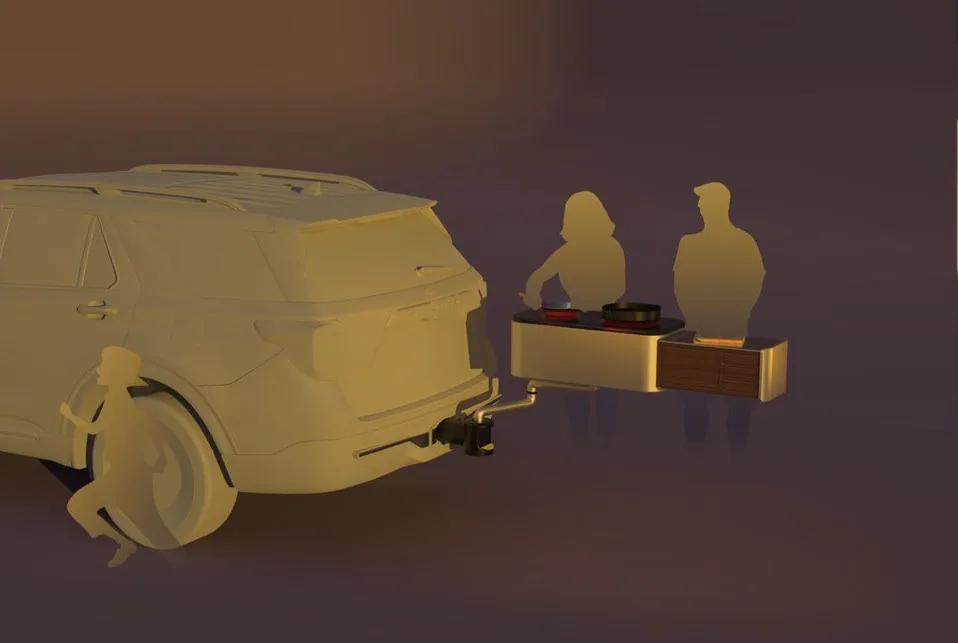
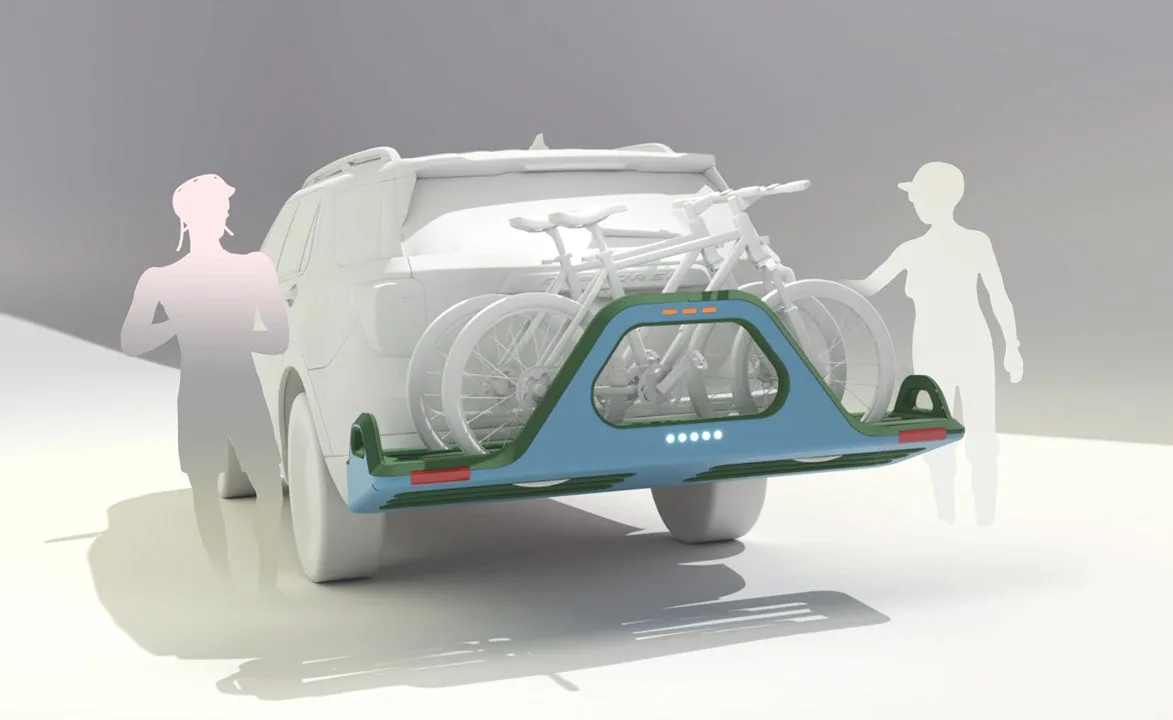
We knew this customer is very social with an active lifestyle, and they are often juggling several things at once. I decided to focus on activating the rear part of the vehicle to enable more social and outdoor experiences.
I explored how the hitch could serve as a platform for plugging in different smart accessories: smart luggage carriers, bike racks, entertainment accessories and cooktops.
While testing these sacrificial concepts during research, we came across an interesting study.
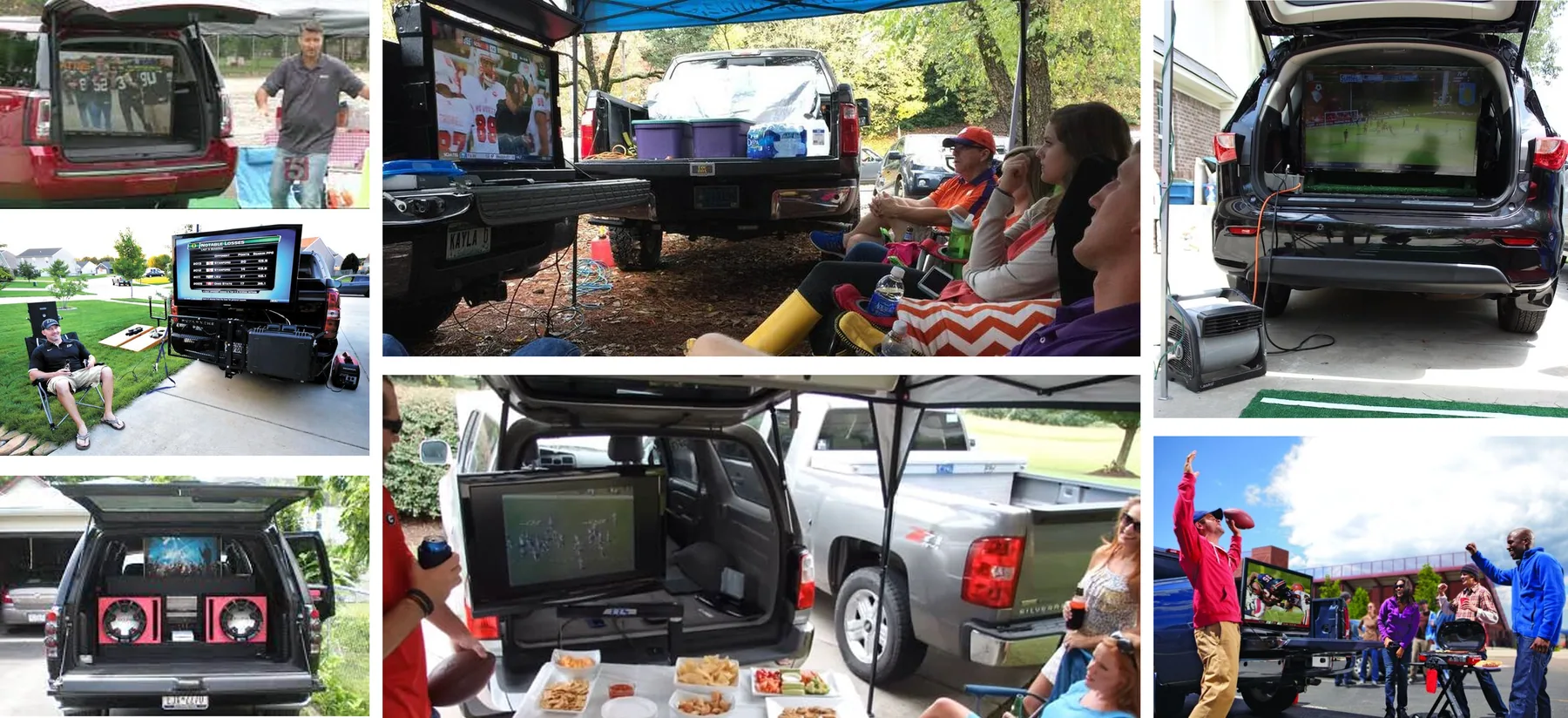
80% of Americans tailgate annually. Of those, 61% tailgate at least five times per season and 41% more than eight times, according to a Quicken Loans Racing and Beckon Media study.
Additionally, we had qualitative customer data about how they tailgate. It revealed some obvious pain points.
With millions of Americans tailgating annually, it's more than just a pre-game ritual. It’s a tradition rooted in community, celebration, and the experience of being together.
There was a direct and underserved need to innovate in this area!
Hero concept
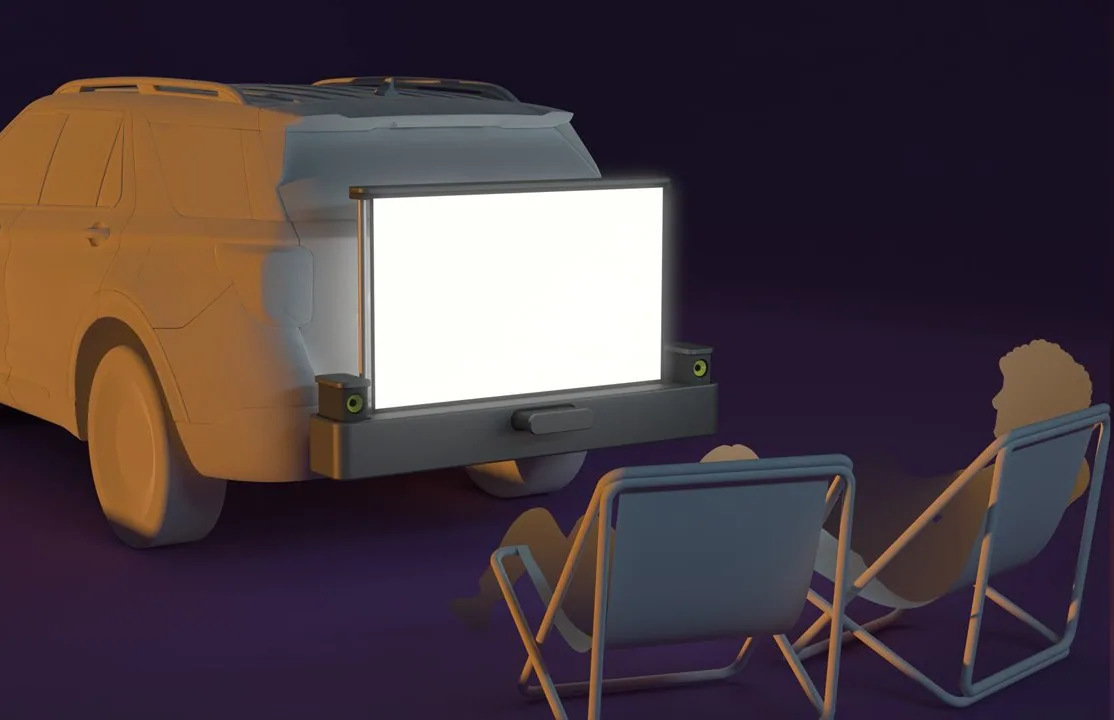
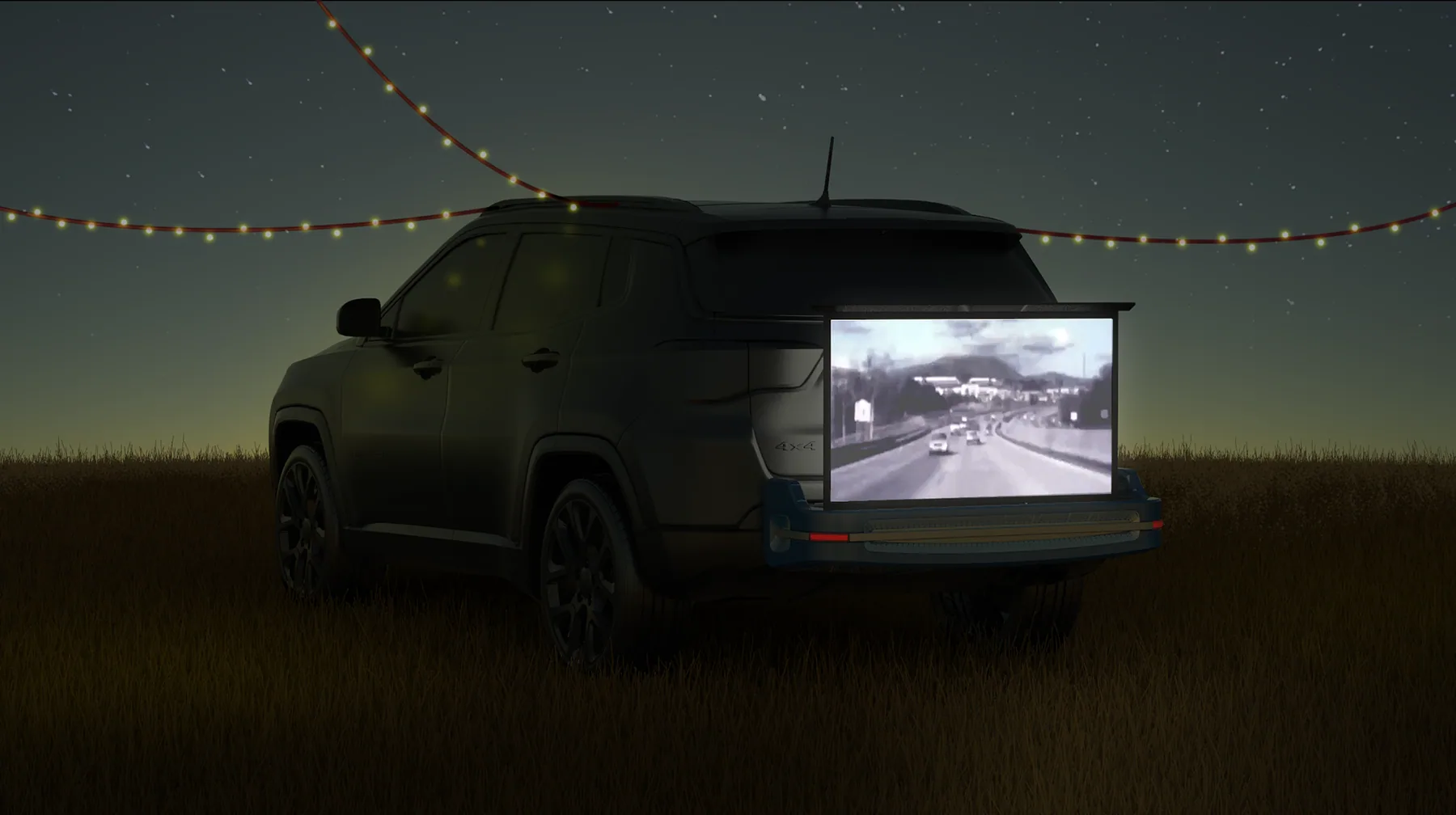
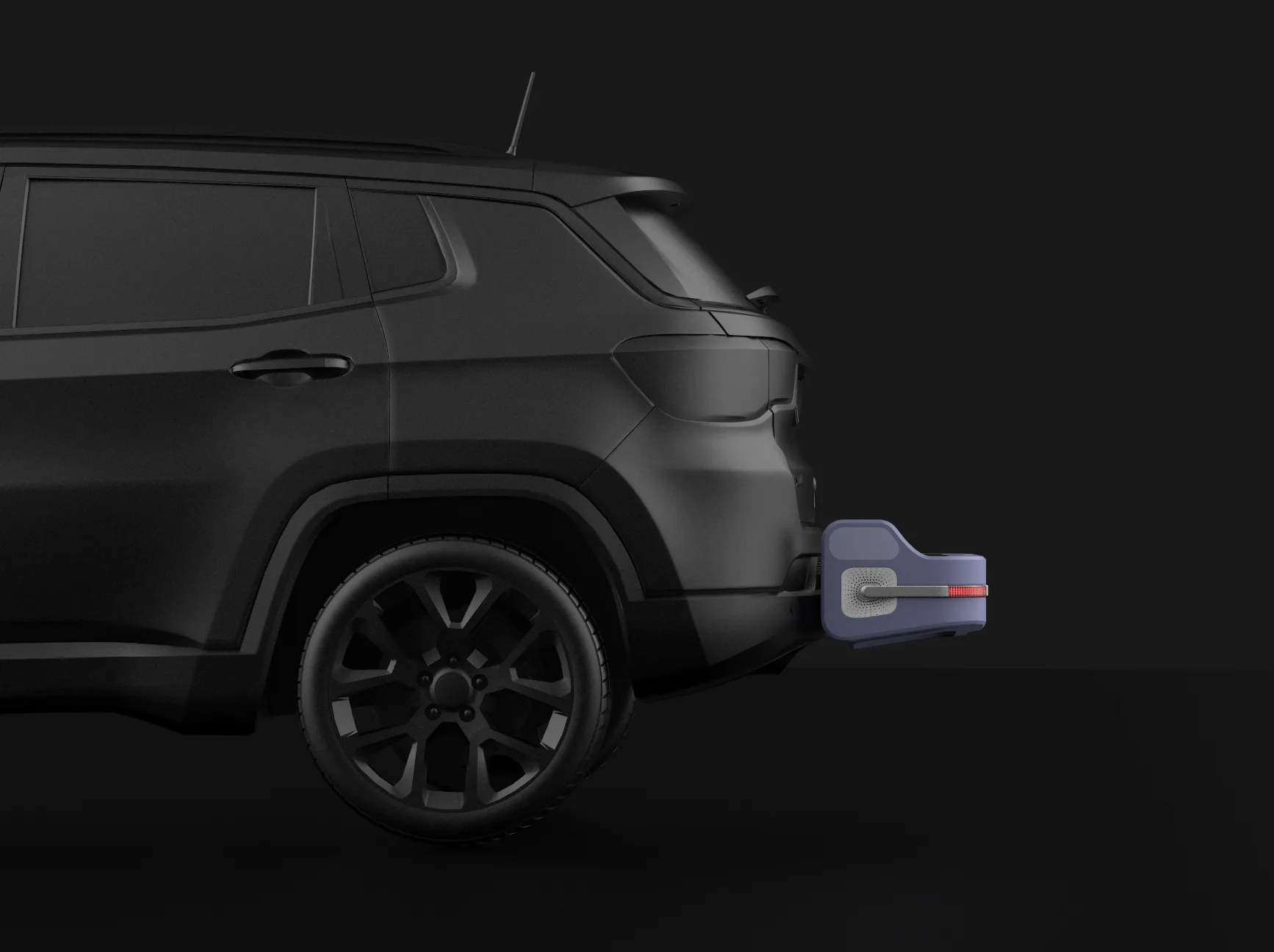
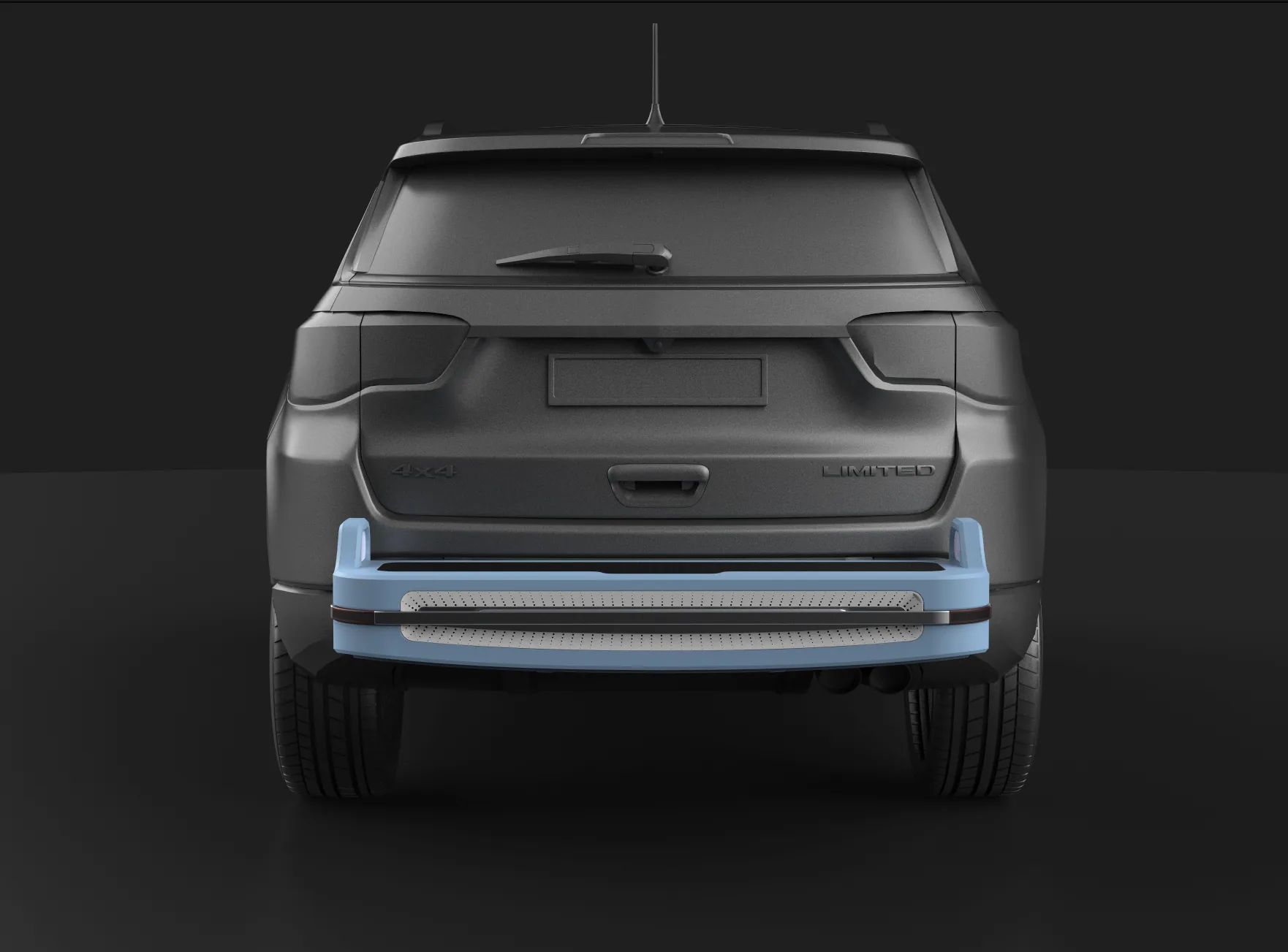
Introducing Hitchbox, it’s a smart media accessory that plugs into the back of your vehicle, and it's designed to support the social and an outgoing lifestyle of Alex. It packs an array of speakers, a short-throw projector, and a roll-up screen.
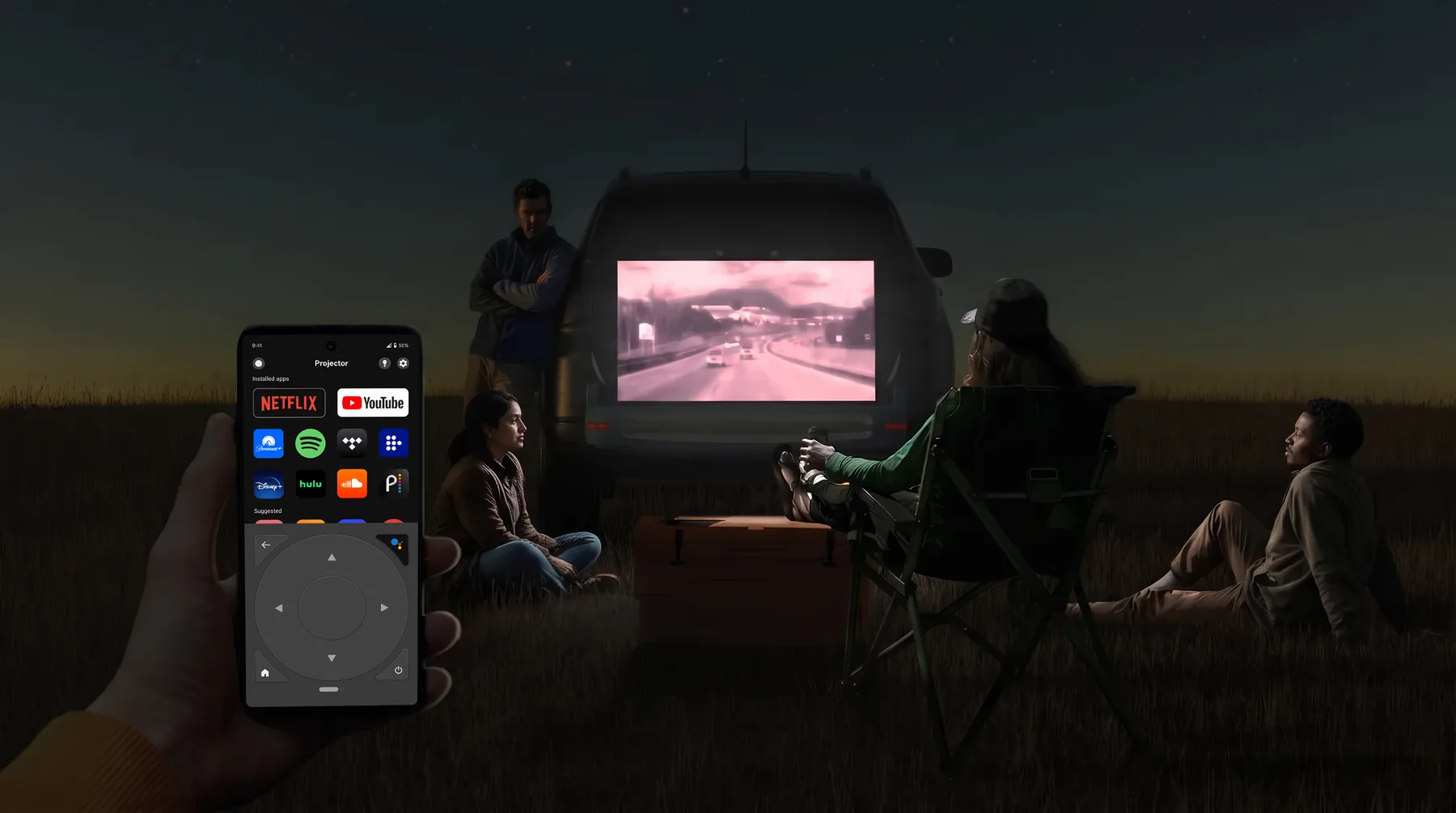
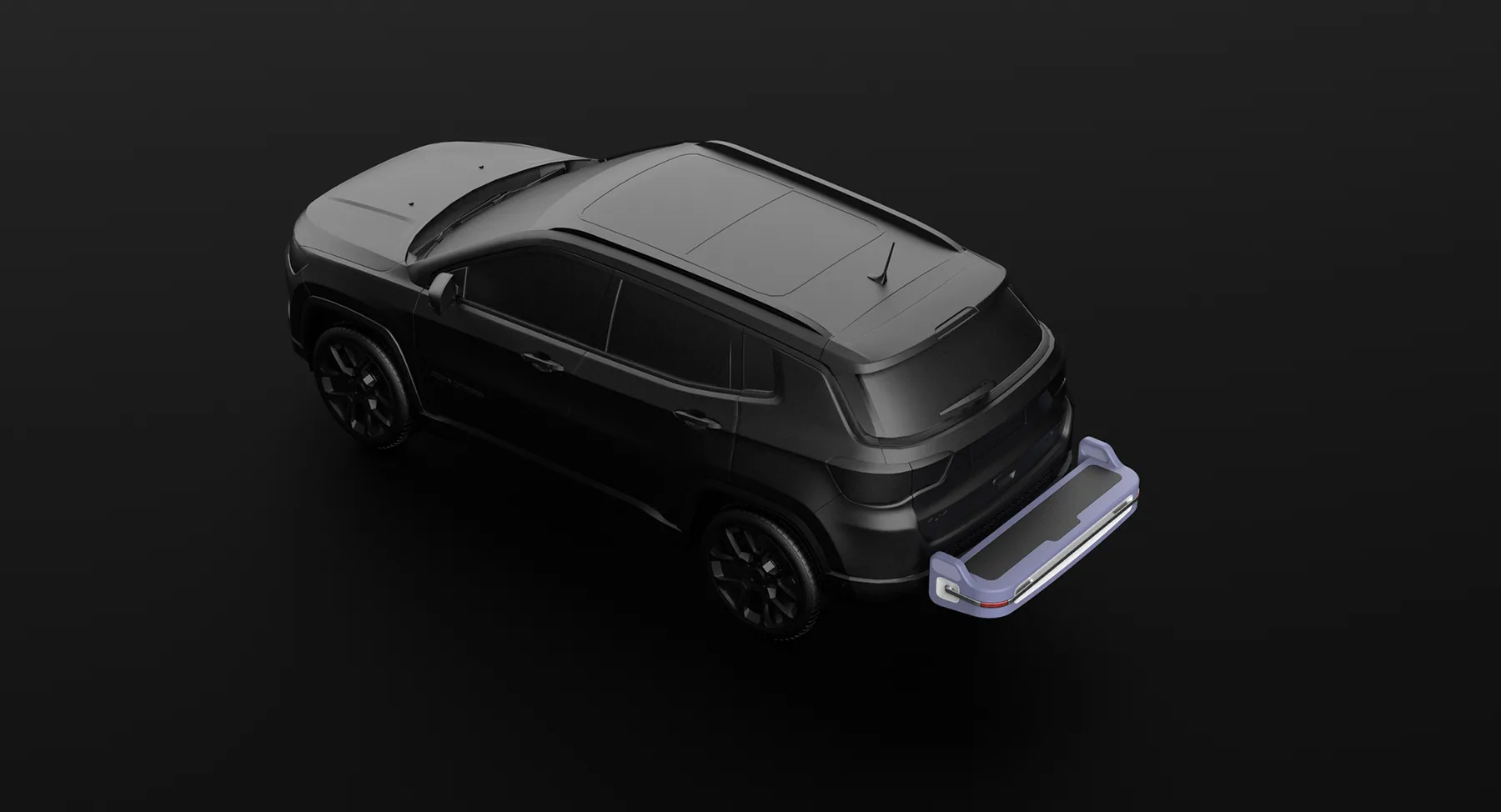
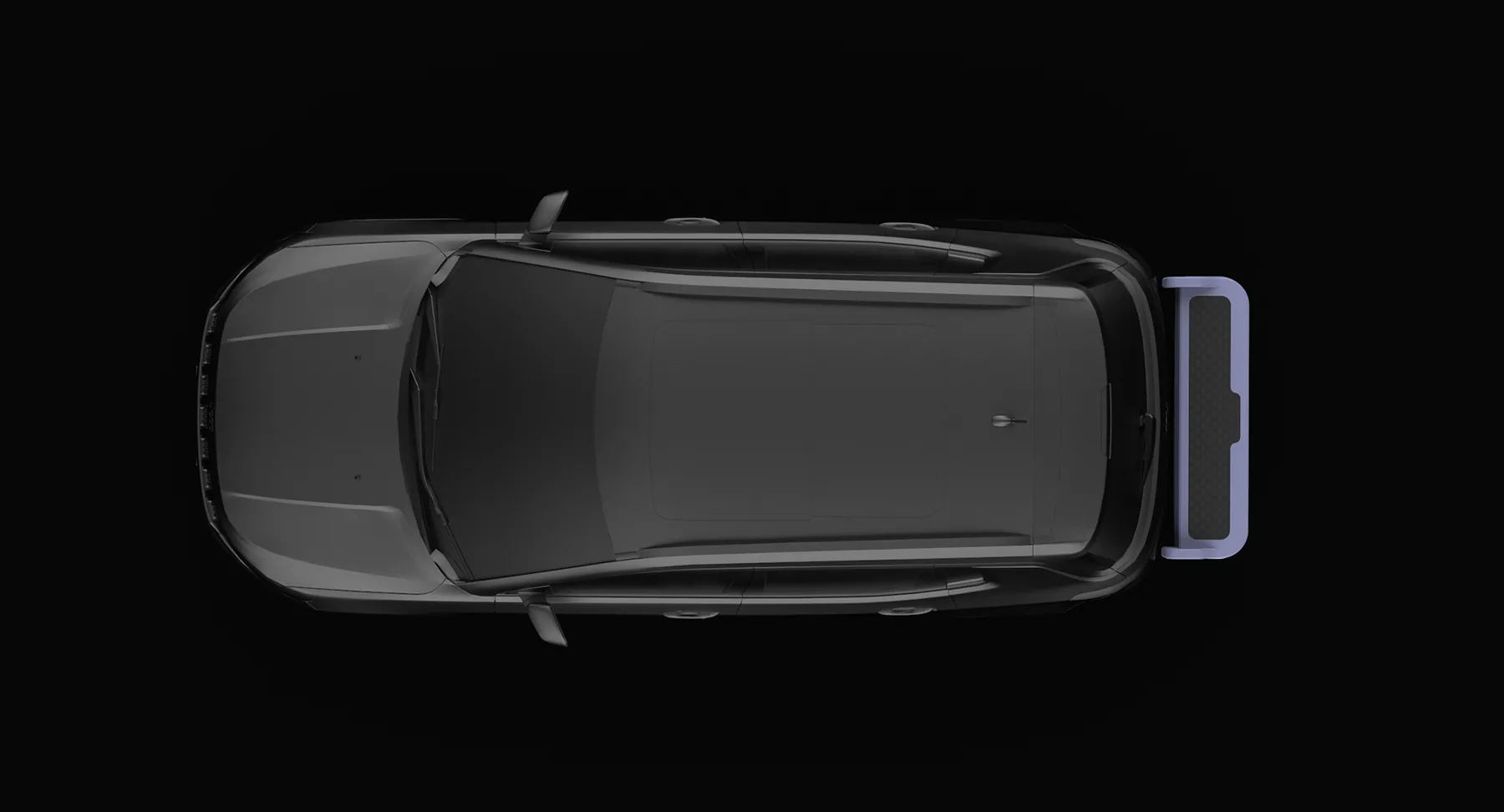
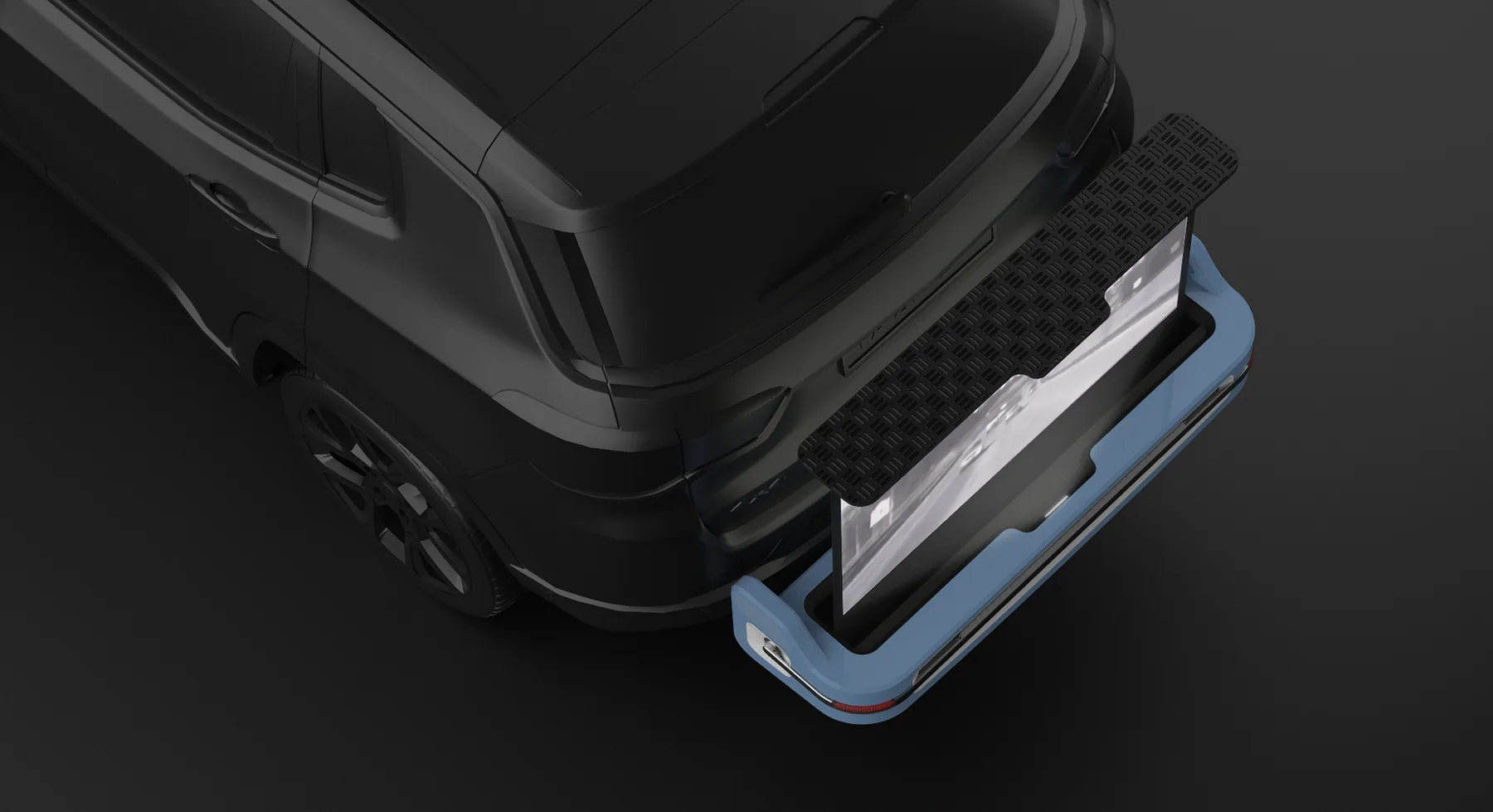
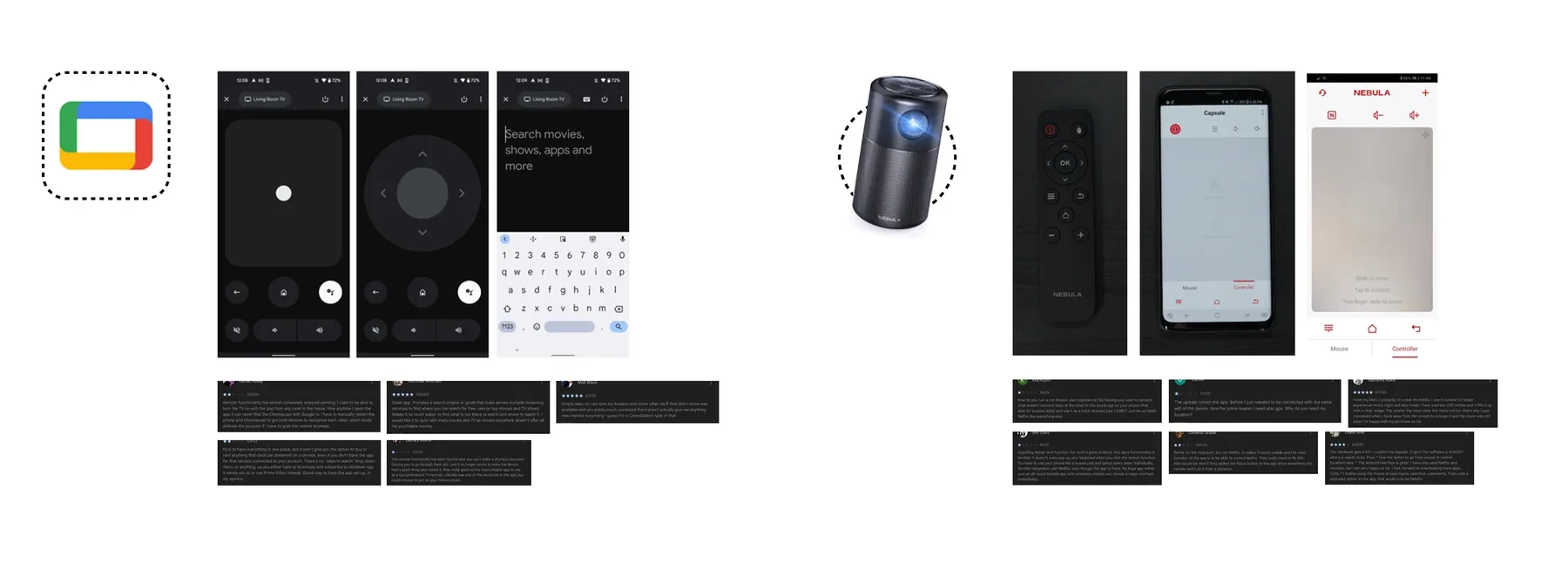
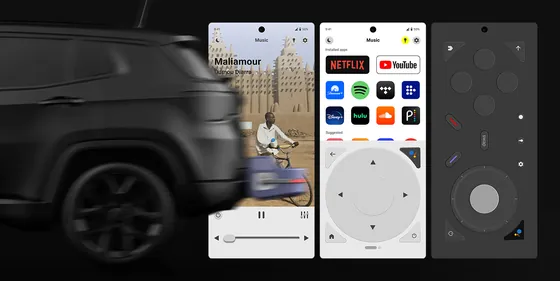
Google TV remote app and Anker Nebula app
Designing the remote
Why the remote became the product
The initial question was how users would interact with HitchBox. Would it be through a mobile app, a smartwatch, the vehicle's centre display or a dedicated hardware remote?
I started by evaluating existing solutions, including Google TV's remote app and Anker Nebula's projector interface. Reviewing user feedback helped identify what worked well and where the experience fell short.
Three things stood out:
- Content and platform accessibilityUsers appreciate having their entire app and content ecosystem accessible through the remote app.
- Smooth hardware experienceHardware's tactile appeal is well-received, and dynamic media options add to it.
- Connectivity optionsMultiple connectivity options are crucial for a seamless experience.
Designing around how people use HitchBox
One remote, three modes
HitchBox serves three distinct use cases: listening to music, watching movies and playing games. Each calls for a different set of controls, so a single fixed interface wouldn't work particularly well.
I explored different layouts and navigation models, then tested them with users.
- Navigation preferenceA bottom nav was traded off for a compact nav on top. People's mental model of a remote is driven by hardware, so it needs all the controls at once rather than a complex structure like a mobile app.
- Bento box layoutsI was excited about the visual design possibilities, but users said it was too much information to grasp at once.
- Different layouts for different functionsPeople preferred separate interfaces for music, movies and games, because sometimes you'd only be listening to music.
Setup and interface
The remote, end to end
Setup
On opening the app, the phone automatically scans for HitchBox. If a connection is not found, it prompts the user to power it on. Once detected, the phone pairs over Wi-Fi and Bluetooth.
Quick access area lighting
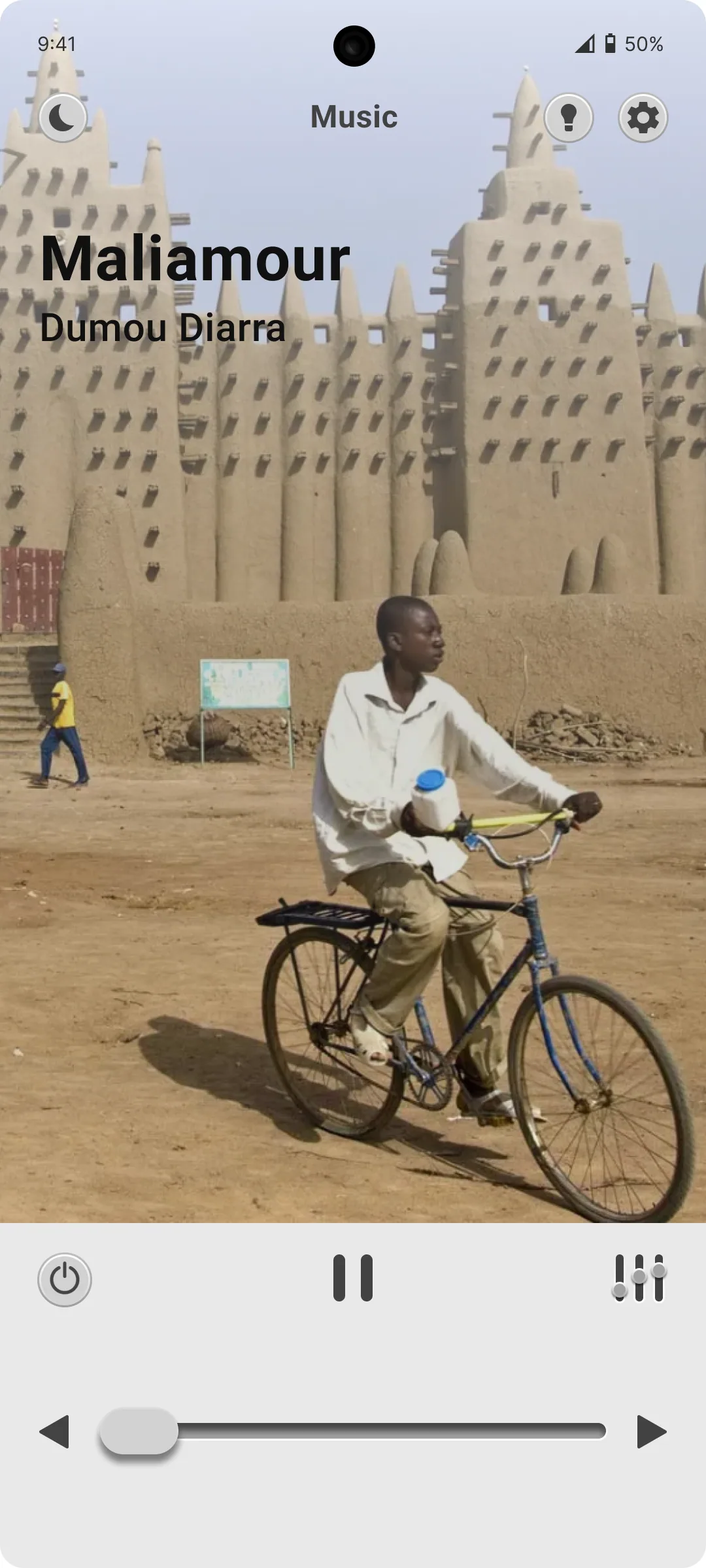
The light toggle is on top and can be accessed in any mode. Good area lighting is crucial in a dark campsite, where visibility is critical for safety and comfort.
Music playback
HitchBox also serves as a wireless speaker, without deploying the projector screen. The app includes volume control, track skipping and an equalizer.
Quick toggle, light and dark themes
HitchBox gets used in various lighting conditions during camping trips. A light-dark theme toggle keeps the app easy on the eyes and readable.
Projector setup
When switching to movie mode, the app prompts the user to deploy the projector. It first checks that there are no obstructions in the way of the screen, then transitions into the remote control.
Remote control
The lower half is a static input interface. The upper half is a dynamic container that shows contextual inputs based on the content and the current mode.
Users can swipe the circle to switch between button inputs and a touchpad.
Use cases
Keystone correction
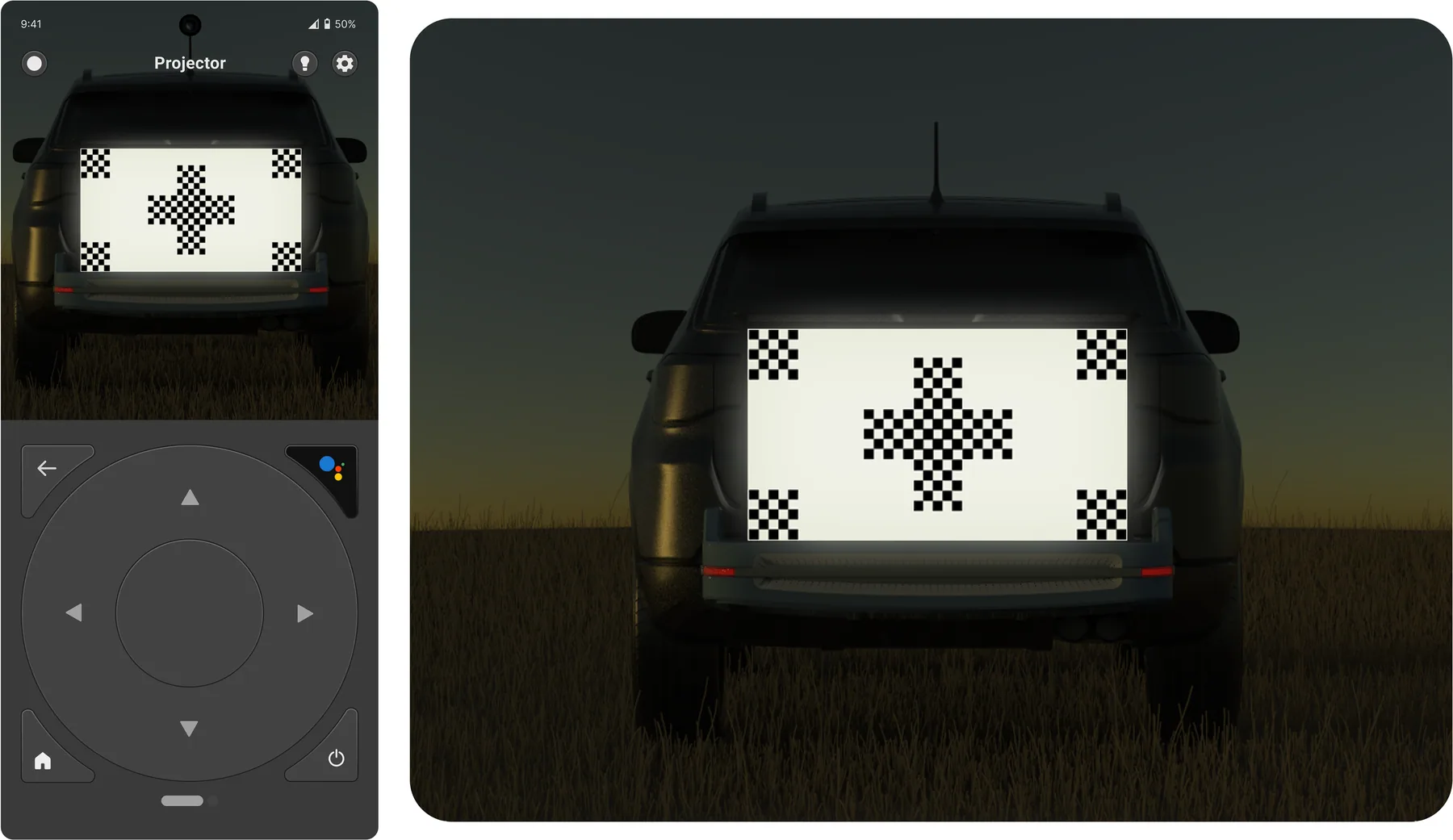
HitchBox uses the phone's onboard camera as a visual guide for automatic keystone calibration. It projects a pattern onto the screen, which the camera captures and relays back.
Sign in to a new app
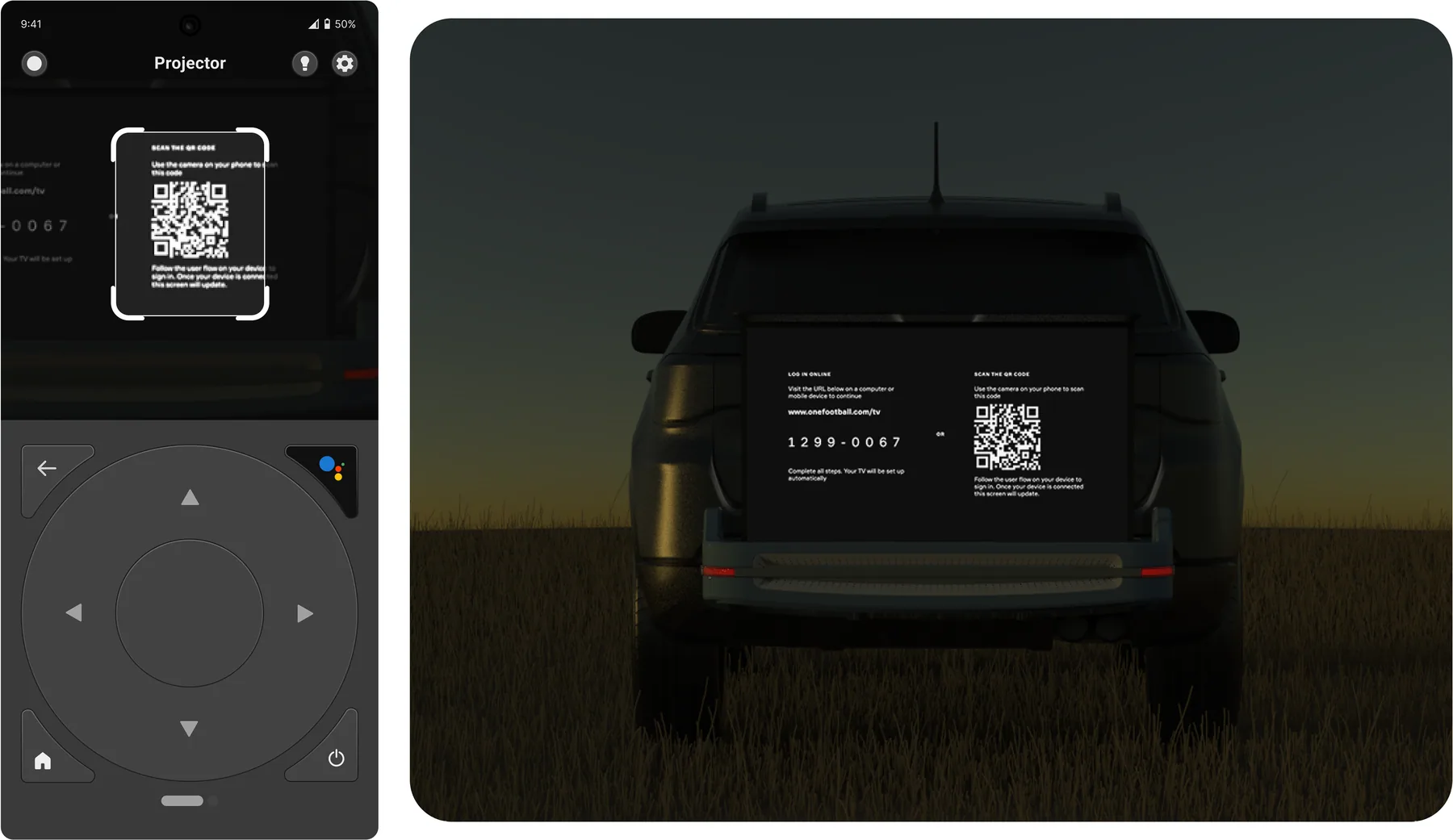
When the sign-in screen appears on the TV, the dynamic container automatically opens up the camera, so there's no switching between the camera and the remote app.
Buy or rent movies with one tap
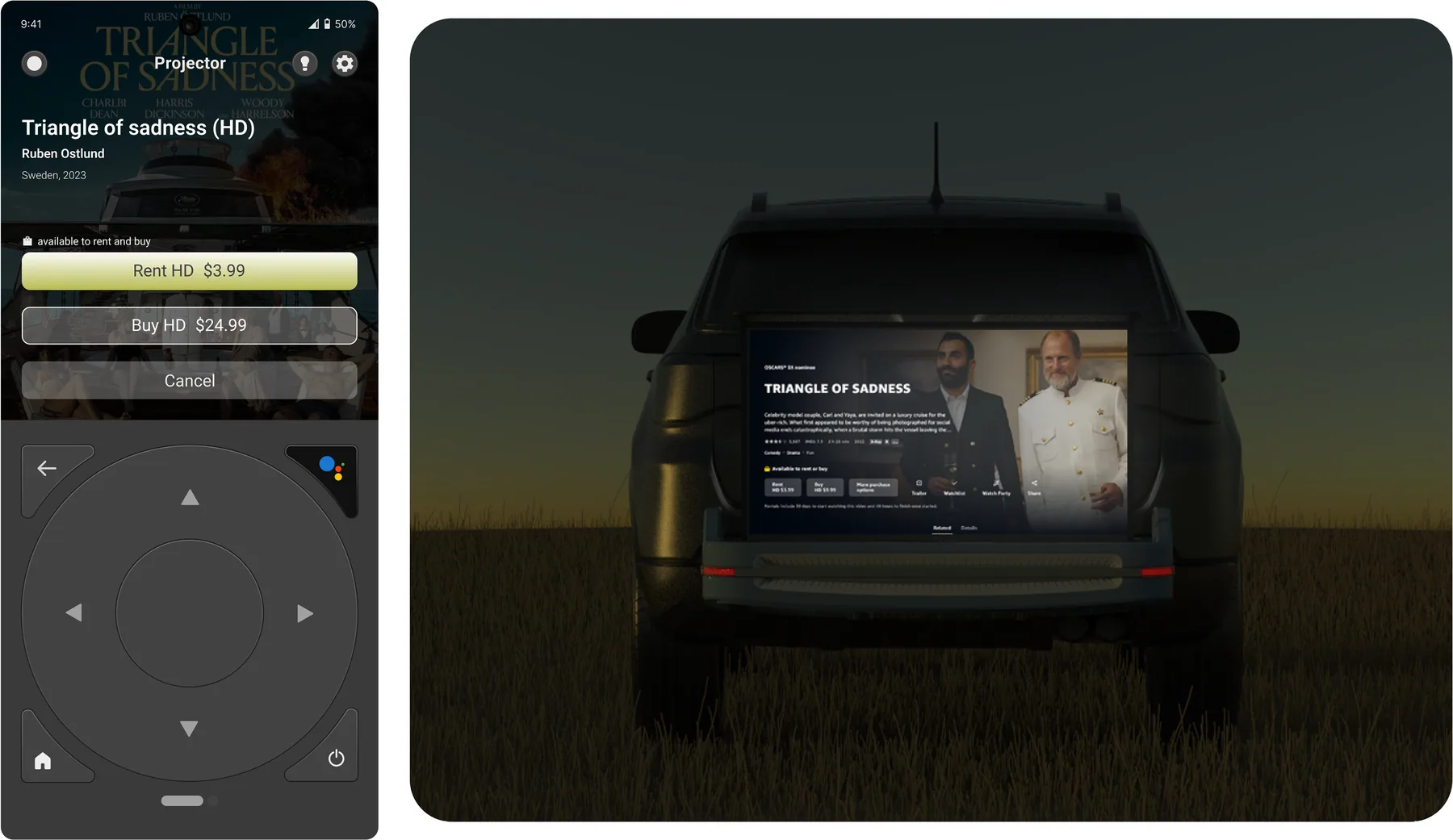
When the rental screen appears on the TV, the dynamic container provides a link to the purchasing page, so users don't have to leave the remote app.
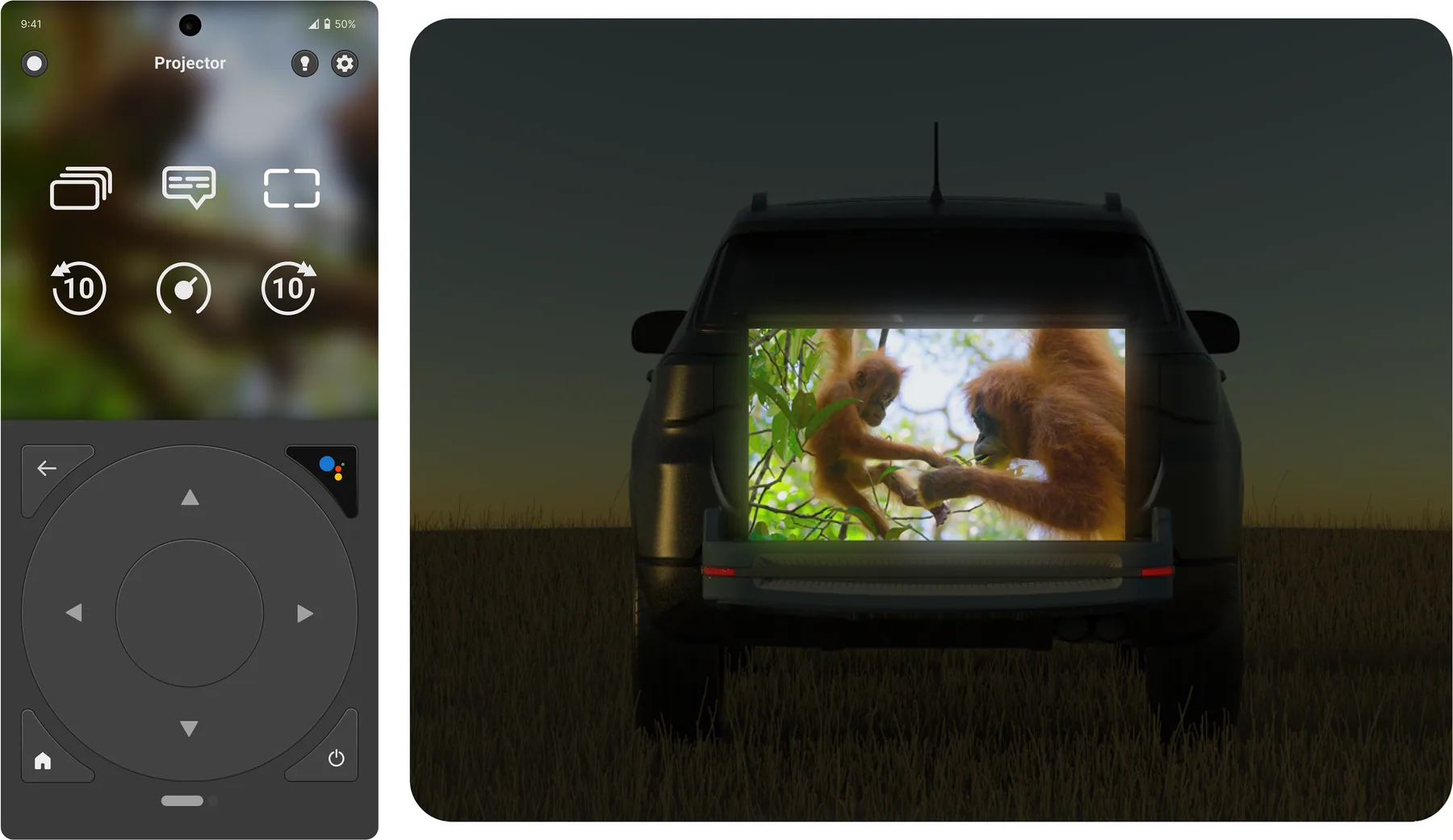
Contextual options
While streaming on Netflix, the dynamic container displays the sub-options offered by the platform, without interrupting the movie.
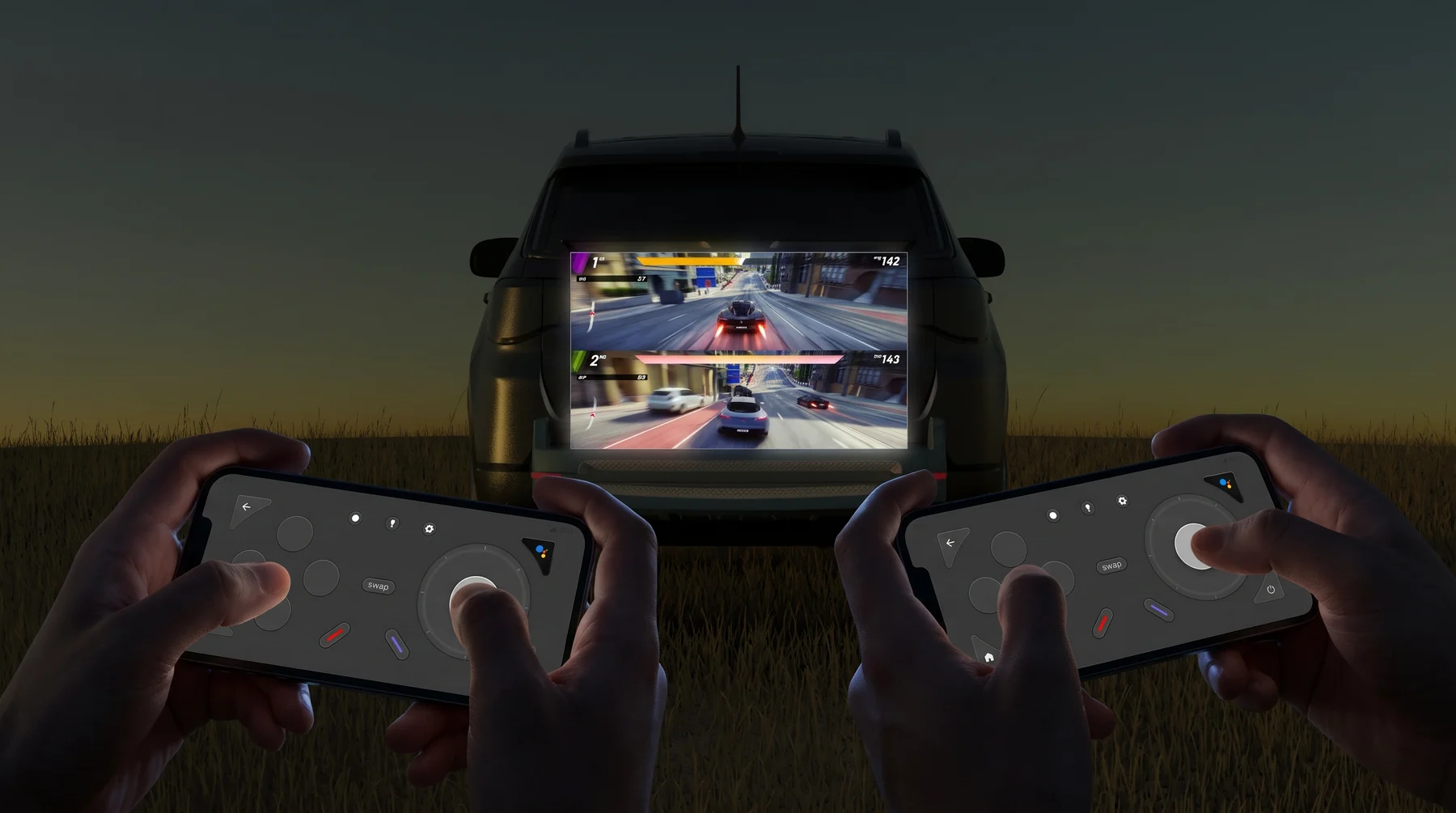
Game mode
A gamepad in your hand
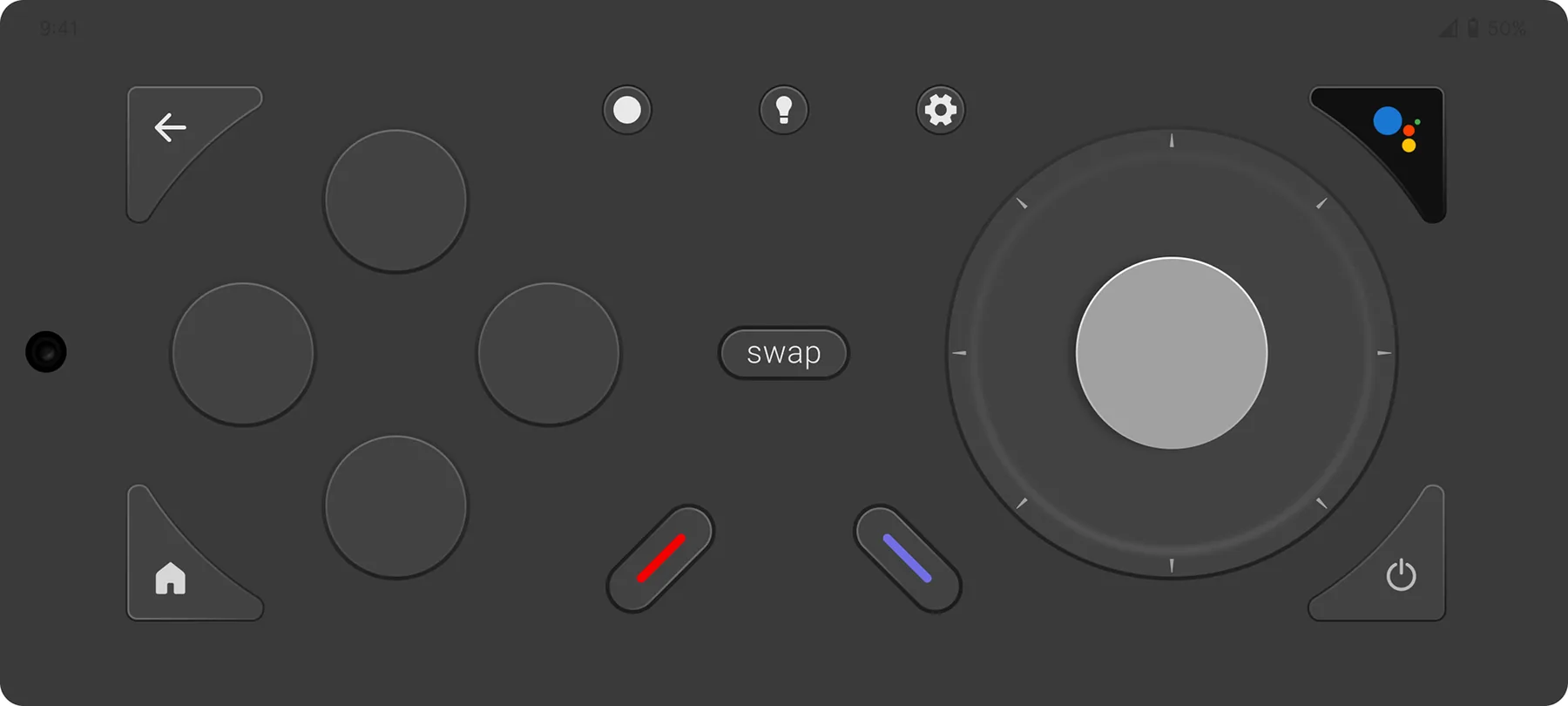
Switching to game mode transforms the remote into a gamepad with a joystick and four buttons, for simple games without additional controllers.
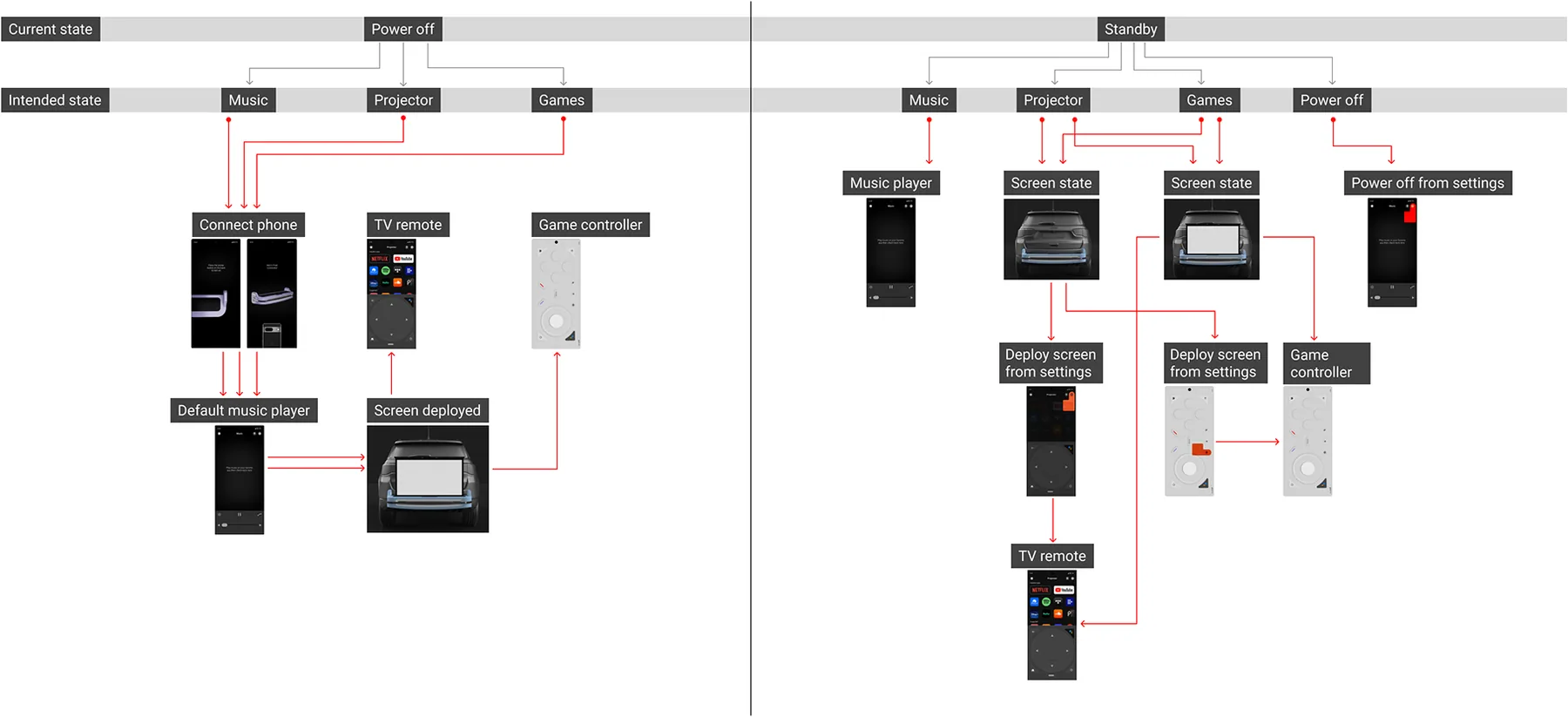
Logic map
Moving between modes
A logic map of moving between modes from either power off or stand-by states.